ETA updated app. Now, the free version is useless. No backgrounds. Can't even resize your photos. Photoshop is better than this. When I tried the pro free trial, which I planned on doing the subscription, it wasn't much better. Not to mention, trial was supposed to be until 03/10, & charged AFTER that, but they charged on 03/09 - luckily I authorize all charges on that card and was able to decline. I canceled my subscription due to that.

Photoroom AI Photo Editor
Photoroom AI Photo Editor
- 4.7
- 3.63M+ratings
- Everyonecontent rating
- Photographycategory
Information
- Developer
- Photoroom AI Photo Editor
- Publisher Country
- US
- Country Release Date
- 2020-12-16
- Categories
- Photography
- Country / Regions
- US
- Developer Website
- Visit website
- Support URL
- Get support
- Content Rating
- Everyone
About this app
Create pro images that sell with Photoroom AI.
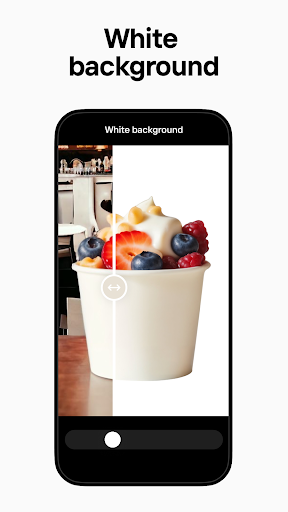
Photoroom’s AI technology makes it easy to design, edit, erase, and replace any background from your photos. Create professional-quality images that elevate your brand, boost engagement, and drive sales.
Why choose Photoroom?
AI-POWERED DESIGN
No design experience needed! Simply describe your idea, and Photoroom AI quickly creates backgrounds, social assets, scenes, logos and more. Save time while the AI creates professional designs for you in seconds.
REMOVE AND REPLACE BACKGROUNDS
Enhance your product photos effortlessly with AI backgrounds. Use the smart eraser to clean up details or quickly erase distractions. Create polished product shots, eye-catching posts, or ad-ready images using the fastest technology.
ENHANCED PHOTO EDITING
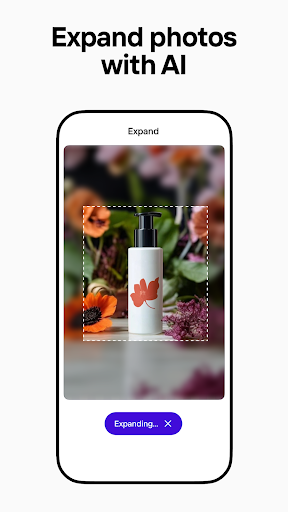
Photoroom’s AI photo editor helps you erase unwanted objects, clean up images, and improve photos with ease. Adjust lighting, shadows, and sharpness for professional results while keeping the background exactly how you want it.
TRANSFORM IMAGES INSTANTLY
Showcase clothing on lifelike virtual models, place items in stunning staged scenes, and instantly enhance visuals with the Product Beautifier. Photoroom’s AI makes it effortless to create polished, professional images that elevate your brand.
BUILD YOUR OWN BRAND KIT
Keep your logos, colors, and fonts all in one place for a consistent design every time.
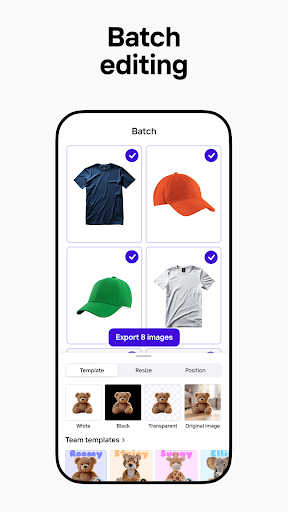
SAVE TIME WITH BATCH EDITING
Edit multiple images at once, perfect for e-commerce sellers or content creators. Quickly replace a background, erase imperfections, and apply your chosen design style across every photo.
CREATE IMAGES FOR EVERY PLATFORM
Ensure your images are optimized for Instagram, Facebook, YouTube, Amazon, Depop, Vinted, Shopify, and more—without cropping or pixelation.
CUSTOMIZE TEMPLATES FOR ANY OCCASION
Choose from a variety of AI-powered templates for promotions and events. Customize templates to match your needs, saving time on design while creating standout content.
COLLABORATE WITH EASE
Invite team members to Photoroom to collaborate on designs in real time. Photoroom’s AI-powered tools make sharing, commenting, and editing seamless, ensuring consistent branding and efficient teamwork.
Who can benefit from Photoroom?
・E-commerce sellers: Create product listings with AI-powered background removal and editing, and showcase clothing on virtual models. Use batch editing to erase flaws and apply consistent designs.
・Content creators: Design standout images to grow your brand. Change the background or use the eraser for perfect shots.
・Social media managers: Produce engaging posts across platforms. Erase or replace backgrounds for Instagram, YouTube, and more.
・Freelancers: Deliver professional designs to clients on time. Erase mistakes, refine the background, and batch edit at scale.
・Everyone: Whether it’s a logo, product photo, sticker, or social media image, Photoroom’s AI tools help you design, erase, and perfect every image.
Why millions love Photoroom
⭐ Easy to use: With Photoroom’s intuitive AI tools, anyone can create professional visuals—no design skills required.
⭐ Pro-level results: Achieve high-quality results effortlessly, thanks to Photoroom’s AI photo editor and background remover.
Upgrade your account
Unlock advanced tools, premium templates and extended limits on exports with Pro and Max plans. Subscriptions auto-renew unless canceled in Google Play settings at least 24 hours before the current period ends.
Whether you’re growing your online store, building your social media presence, or designing content, Photoroom’s AI-powered tools make it easy to create, erase, and transform any background into a stunning design.
Join over 300 million users today!
Terms of use: https://photoroom.app/legal/terms-and-conditions/
Download Photoroom AI Photo Editor
Choose your device. You'll be taken to the official store listing — we never host installation files.
Ratings
Featured reviews
This app WAS great until a day ago. I subscribed, it was fantastic and now it sucks! i have a necklace business. I could put it on a display, photograph it andcremove the display so that I just have the necklace, which I could create all kinds of great backgrounds. Software update yesterday and now I cannot remove the display that the necklace is on. useless to me now. will cancel my monthly subscription. Glad I didn't pay for a yearly.
Easy to use. let's one edit photos to every detail including the lighting on the subject and not the whole image. which is crucial when you're dealing with AI backgrounds. I tried other apps but either they require extra credit purchase AFTER you have already paid for a subscription or it doesn't have all the features that this app has! I am definitely renewing my subscription. Keep up the good work!
Screenshots